
Tips for Setting Boundaries with Notifications to Boost Focus

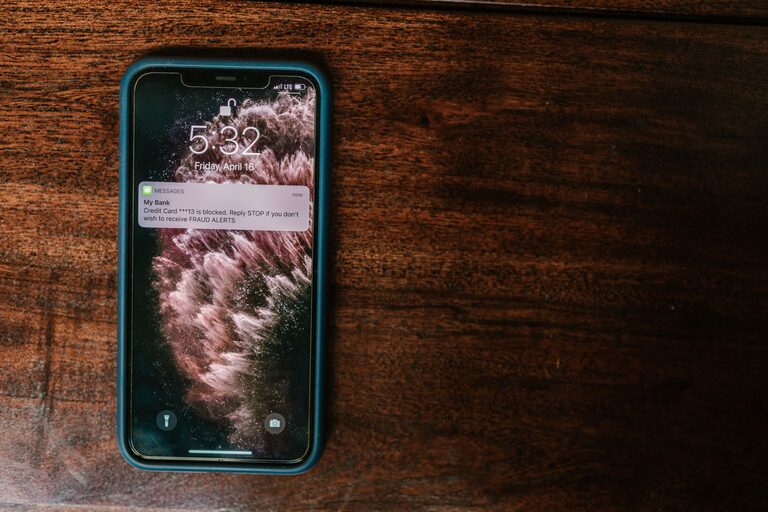
In today’s digitally connected world, notifications can be both a helpful reminder and a constant source of distraction. Whether it’s emails, social media alerts, or app updates, these interruptions can disrupt your concentration, reduce productivity, and increase stress. Setting boundaries with notifications is essential to take control of your time and attention. In this post, we’ll explore practical tips to help you manage notifications more effectively and create a more focused, balanced daily routine.
Why Setting Notification Boundaries Matters
Before diving into tips, let’s understand why notification management matters:
– Reduces distraction: Constant alerts draw your attention away from important tasks.
– Protects mental well-being: Frequent interruptions can increase stress and decrease satisfaction.
– Improves productivity: Focused work time is more efficient without consistent notifications.
– Supports work-life balance: Limits work-related notifications during personal time.
With these benefits in mind, here are strategies you can use to set helpful boundaries with notifications.
1. Audit Your Notifications Regularly
Start by reviewing all the apps and platforms sending you notifications. This audit helps you identify which alerts you truly need and which you can mute or turn off.
– Make a list of apps: Include email, social media, messaging, news, and productivity tools.
– Prioritize notifications: Mark notifications as essential, useful, or unnecessary.
– Adjust settings: Disable or limit notifications in apps that provide little value.
Regular audits keep your notifications relevant and manageable as your needs change.
2. Customize Notification Settings by App
Most apps offer detailed notification controls. Use these features to tailor alerts so you only receive those that matter.
– Turn off non-urgent alerts: For example, disable “likes” or “follower” notifications on social media.
– Choose alert types: Opt for silent notifications, banners, or badges depending on importance.
– Schedule notification delivery: Some apps allow you to delay notifications to specific times.
Customizing settings helps reduce noise while keeping you informed about what’s important.
3. Use "Do Not Disturb" and Focus Modes
Modern smartphones and computers have built-in “Do Not Disturb” or Focus modes that block notifications during designated times.
– Set work blocks: Silence notifications during deep work sessions or meetings.
– Schedule downtime: Limit notifications during personal time, meals, or sleep.
– Allow exceptions: Permit calls or messages from important contacts even during quiet periods.
Using these modes creates clear boundaries between focused work and relaxation.
4. Limit Email Notifications
Email is a common source of frequent interruptions. Try these tips to manage email alerts:
– Turn off push notifications: Check emails manually at set times rather than receiving instant alerts.
– Create filters: Prioritize messages from important contacts or about critical topics.
– Use summary notifications: Some email apps offer daily or hourly digests instead of constant pings.
Email control can drastically reduce distraction and help you stay focused on priority work.
5. Communicate Your Notification Preferences
Setting boundaries also means letting people know your availability.
– Inform colleagues and contacts: Share your preferred methods and times for communication.
– Use status messages: Tools like Slack or Microsoft Teams let you indicate when you’re unavailable.
– Set expectations: Clarify when you will respond to messages, especially outside working hours.
Clear communication helps others respect your notification boundaries.
6. Designate Device-Free Times and Spaces
To further reduce interruptions, create times and environments where devices and notifications are kept away.
– Establish tech-free zones: Keep phones out of the bedroom or dining area.
– Schedule device breaks: Take regular breaks from screens to recharge your focus.
– Use physical timers: Help limit checking devices by timing short, intentional sessions.
Device-free zones support better concentration and improve your overall well-being.
7. Review and Adjust Regularly
Managing notifications is an ongoing process that requires regular tuning.
– Reflect weekly: Assess if your current settings are helping or hindering focus.
– Adjust as needed: Add or remove alerts based on changing priorities.
– Experiment with tools: Try apps designed to help limit distractions or batch notifications.
By staying mindful, you can maintain healthy boundaries over time.
Final Thoughts
Notifications aren’t inherently bad—they’re designed to keep us informed. But without clear boundaries, they can overwhelm and distract. By auditing your alerts, customizing settings, using “Do Not Disturb” modes, managing email, communicating preferences, and setting device-free times, you can regain control over your attention and reduce unnecessary interruptions.
Start small by changing one notification habit today, and you’ll likely notice more focus and calm in your daily routine. Remember, your time and attention are valuable—setting boundaries with notifications protects both.